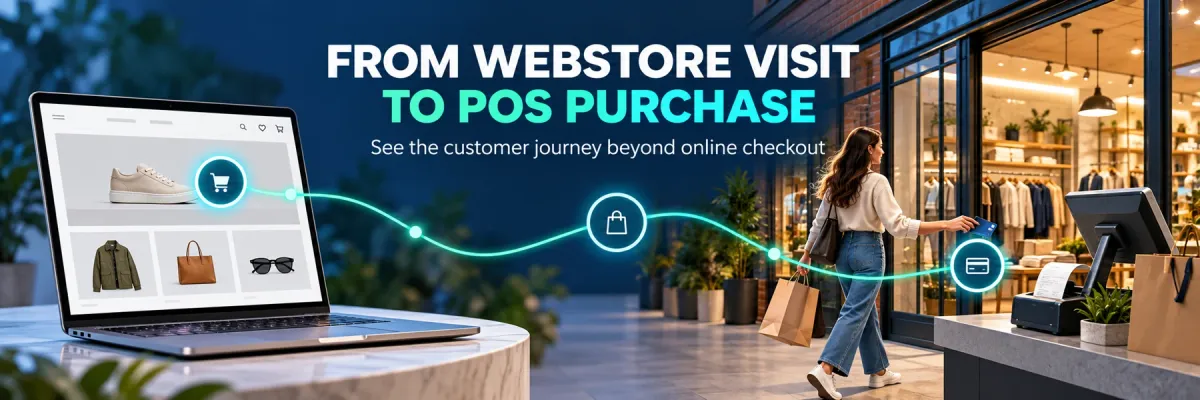
For brick-and-mortar retailers using Shopify and Shopify POS.
Shopify can power your webstore while Shopify POS records purchases at your physical counter. A customer can use both in one shopping journey: browse on a phone, call a product specialist and buy in store. The order is not necessarily missing from Shopify. What may be missing is a reliable relationship between that store order and the earlier marketing inquiry. Understanding this distinction helps you improve attribution without overlooking the customer and sales tools Shopify already provides.
Reviewed and updated October 15, 2026.
Marketing Guide · Visual guideFrom Shopify webstore interest to Shopify POS purchaseKeep the online inquiry and in-store order connected through the right customer.
1
Webstore interestA shopper researches your products through the Shopify webstore.
2
Call or form inquiryCapture an identifiable inquiry and available source information.
3
Customer relationshipKeep verified details with the inquiry and locate the right customer at checkout.
4
Shopify POS saleAttach that customer to the completed in-store order.
5
Matched purchase outcomeCallToSale connects eligible records while showing matching gaps.
Shopify records the order; the configured connection helps relate eligible inquiry and purchase records. Anonymous visits and purchases can remain unmatched.
What Shopify and Shopify POS already provide
Shopify provides sales and marketing reporting, while Shopify POS supports attaching a customer profile to the cart. You can search for an existing customer or create one when appropriate. These are useful foundations for a connected retail experience. A unified commerce platform still depends on the information present in each transaction. A store order without a dependable customer relationship does not automatically explain which earlier inquiry or campaign influenced that buyer. Treat an incomplete marketing story separately from whether the order itself was recorded.
Why a webstore visit can be hard to connect to the counter
A shopper might compare products without signing in, switch devices, call your store and pay later in person. The visit, phone inquiry and checkout can leave different identifiers. Shopify's order conversion summary can show full, limited or no conversion details depending on what is available; orders outside the Online Store or Hydrogen channels can lack a summary when no source or landing page is associated. This does not mean Shopify POS cannot record the sale. It means a purchase record and a complete marketing journey answer different questions.
Attach the correct customer in Shopify POS
Make customer identification part of the checkout handoff. In the POS cart, use Add customer to find the appropriate existing profile, then confirm the buyer's details. If a new profile is needed, enter accurate information and avoid creating another record for a customer who already inquired. Customer-detail prompts depend on your POS subscription and settings, so verify what your team actually sees. A profile attached to an order provides a useful relationship; it does not establish an advertising source by itself. Staff-reported discovery answers should remain distinct from captured campaign information.
How CallToSale extends the journey across the inquiry and sale
For stores using Shopify and Shopify POS, CallToSale connects eligible inquiry, customer and purchase records in the configured workflow. CallRail provides supported call-source information, while HighLevel keeps identifiable contacts and follow-up together. The completed POS order supplies the purchase reference and agreed outcome. Reliable customer details let eligible records be joined instead of relying on a guess about which visitor entered the store. Your audit confirms the supported accounts, events and matching requirements. It does not promise to identify every visitor who browsed anonymously.
Keep online checkout and in-store purchase reports in scope
A webstore conversion rate describes a particular online journey; total POS revenue describes recorded store sales. Neither should be compared as if both counted the same population. Separate Online Store and POS transactions when checking a discrepancy, then compare total orders, matched purchases and platform-attributed sales. Use consistent dates, time zones and revenue definitions. When an order involves a deposit, later balance or refund, preserve its reference and avoid treating each payment as another purchase. A useful report makes these differences understandable rather than forcing every channel total to agree.
Test a realistic online-to-store purchase path
Trace an authorized inquiry through the website or phone, the CRM customer record and a completed Shopify POS order. Confirm that staff can find the right customer and that the recorded sale uses the intended value and status. Check an unmatched example as well as a successful relationship, then document who reviews corrections. Eligible advertising events may be delivered through supported connections, but delivery and advertising credit remain separate checks. The goal is a traceable path from interest to a recorded purchase, with honest limits when the necessary information is absent.
Does this guide cover both Shopify and Shopify POS?
Yes. It explains how webstore interest, identifiable inquiries and purchases recorded in Shopify POS can be connected in the standard CallToSale retail workflow.
Is an unattributed in-store sale missing from Shopify?
Not necessarily. The order can be recorded correctly while its earlier marketing source or customer journey remains incomplete.
Does adding a customer to Shopify POS guarantee ad attribution?
No. It supplies a customer relationship for the order. A reliable source connection and the relevant platform rules still determine what can be matched and attributed.
Can Shopify already show online conversion information?
Yes. Order conversion summaries can include available visit and source details. Some orders have limited information or no summary, depending on the journey and captured data.
What does CallToSale add for an online-to-store journey?
It connects eligible identifiable inquiry, CRM customer and Shopify POS purchase records in the configured workflow, making matched purchases and exceptions easier to review.
Can you identify every anonymous webstore visitor who buys later?
No. Missing identifiers, private browsing and uncertain customer relationships can leave journeys unmatched. A configured integration cannot create reliable information that was never captured.
Should online conversion rate equal my in-store sales rate?
No. They describe different scopes. Compare the same channel, dates, order definition and customer population before drawing conclusions.
What should I prepare for a CallToSale audit?
Bring your inquiry process, relevant account connections, Shopify POS customer workflow and revenue definitions. Confirm where completed sales are recorded and who reviews unmatched orders.
CallToSale shares practical guides to connecting marketing inquiries with recorded sales. Its standard service connects Shopify POS, CallRail and HighLevel for retail businesses.
How phone tracking, your CRM and website + POS work together
Connect marketing inquiries, customer records and in-store purchases in one clear workflow.
Step 1
Phone tracking: understand the inquiry
Connect available call-source details with the customer journey. Review recordings and transcripts where included and configured to understand the questions callers ask and how your team handles them.
Keep each lead’s contact details, marketing source and follow-up in one customer record. Track calls, forms and appointments so your team can see the steps that came before a purchase.
Capture website inquiries and attach accurate customer details to in-store point-of-sale (POS) orders. Connect eligible records to see which marketing sources led to recorded revenue, with unmatched sales kept visible.
A Shopify website alone is not enough. The relevant sales must be recorded in Shopify POS. Other sales systems require an integration assessment. Marketing messages depend on customer permissions; reported events do not guarantee ad attribution.
Practical guidance for Shopify and Shopify POS businesses that want to connect calls, marketing inquiries and in-store purchases. We bring CallRail, HighLevel and recorded retail sales into one clear tracking workflow.